

Guides
Issues
FAQ
Overview
Custom Cohorts enable publishers to build flexible, granular audience segments based on any combination of user behaviors, properties, and data sources. These cohorts are computed on device for real-time targeting and activation. Publishers can create cohorts using first-party data (behaviors on their properties), second-party data (partner data), and third-party data, allowing for highly customized audience targeting that meets specific campaign needs and advertiser requirements.Why Use Custom Cohorts?
Build audiences for any campaign need — Custom Cohorts provide publishers with complete flexibility to create audience segments tailored to specific campaigns and advertiser briefs. Whether targeting users based on content engagement, recency, frequency, or custom event properties, Custom Cohorts enable publishers to meet diverse targeting requirements. Leverage multiple data sources — Build cohorts not just from your own first-party behavioral data, but also incorporate second-party data from partners and third-party data providers. This allows publishers to enrich their audience understanding and create more valuable, targetable segments for advertisers. Real-time Edge Computation — Custom Cohorts are computed on the Edge, enabling real-time user segmentation and activation on device. This ensures that your audience targeting is always current and responsive to user behavior as it happens.Concepts
Definitions
- Custom Cohort: A publisher-defined audience segment that groups users based on specific rules and conditions. Users are added to or removed from cohorts in real-time as they meet or no longer meet the cohort criteria.
- Cohort Builder: The UI tool within the Permutive Dashboard that allows publishers to create and manage Custom Cohorts using a visual, no-code interface.
- Event: An action or occurrence that is tracked by the Permutive SDK, such as a Pageview, VideoView, or custom event. Events form the foundation of cohort definitions.
-
Properties: Attributes associated with events that provide additional context, such as
client.url,client.title, or custom properties. Properties enable fine-grained filtering when building cohorts. - Recency: The time window in which a user must have performed an action to qualify for a cohort (e.g., “in the past 30 days”).
- Frequency: The number of times a user must have performed an action to qualify for a cohort (e.g., “at least 3 times”).
- User Group Cohort: A special type of Custom Cohort that targets groups of users (such as households) rather than individual users. Behavior is aggregated across the entire group.
- Predicted Audience Size (PAS): An estimate of how many users would have qualified for a cohort based on the past 30 days of historical data. PAS is computed server-side when you click Calculate in the Cohort Builder. It is useful for forecasting whether a cohort will deliver sufficient scale for a campaign and is available immediately after defining cohort rules.
- Live Audience Size (LAS): The count of users who currently qualify for an active cohort. LAS is updated periodically (approximately every 4 hours) as users are evaluated against the cohort criteria. When a cohort is first deployed, LAS starts at zero and grows as qualifying users are processed. LAS represents the audience you can actually reach in live campaigns.
Workflows
Creating a Custom Cohort
Publishers use the Cohort Builder to define rules for their audience segments. They select events, specify properties, set recency and frequency requirements, and combine multiple conditions using AND/OR logic to create precise targeting criteria.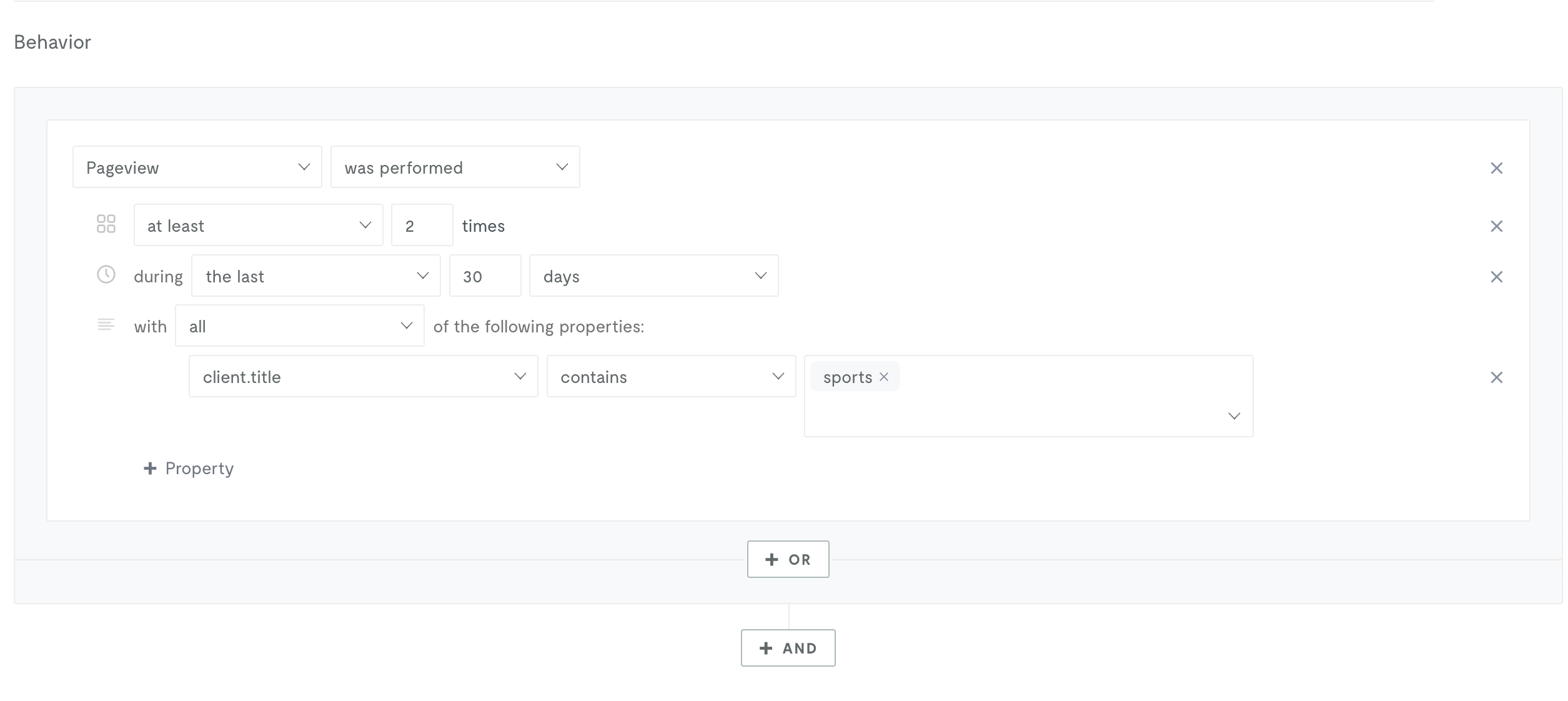
Deploying a Custom Cohort
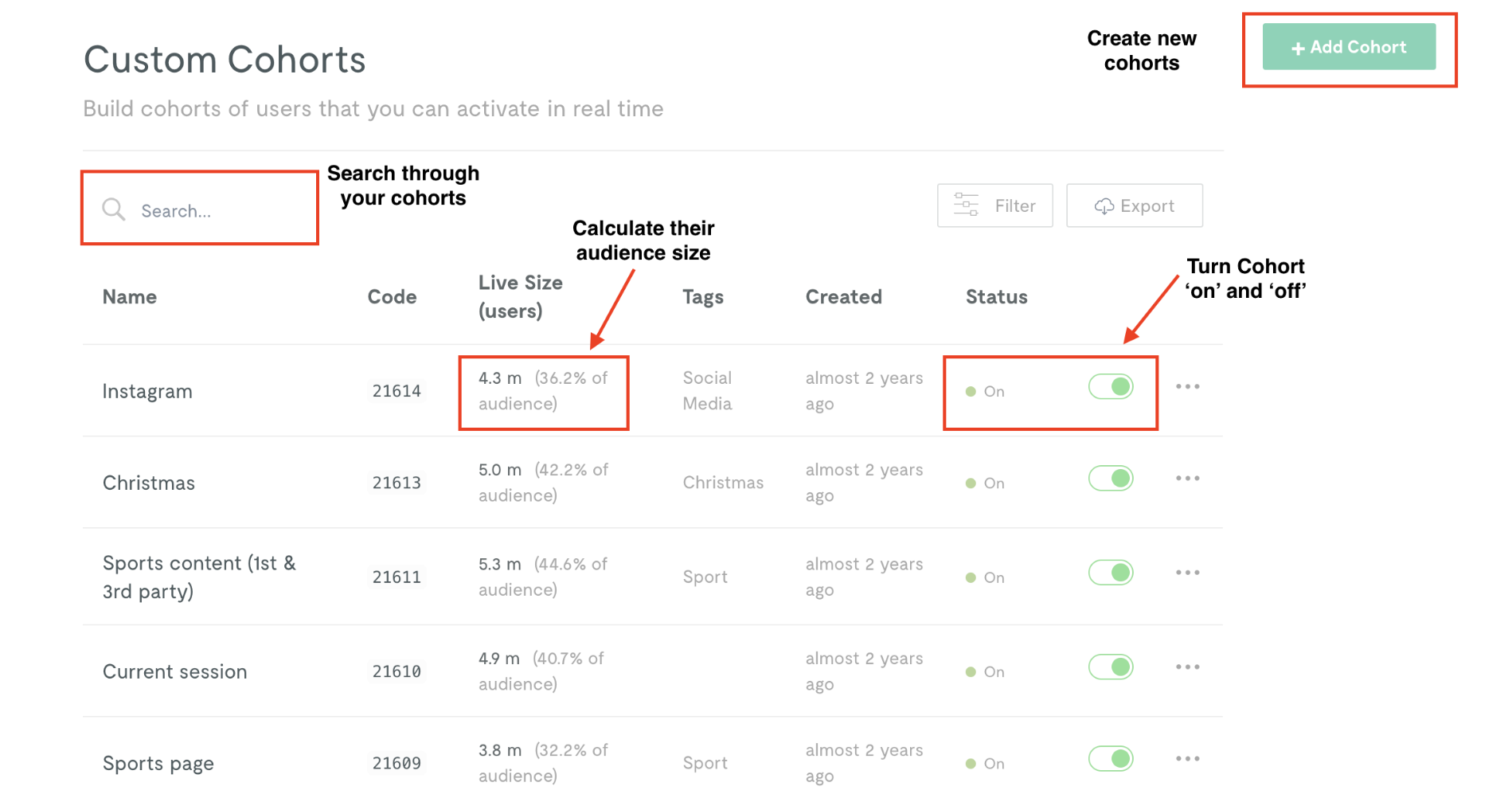
Once a Custom Cohort is created and validated with an audience size calculation (this shows the predicted audience size), you can control whether it is deployed to the Permutive SDK via the cohort’s status toggle (on/off) on the cohort list page. After deployment, the cohort’s Live Audience Size will start at zero and grow over time as users are evaluated. The status toggle determines whether the cohort gets included for evaluation in the SDK:- On (enabled): The cohort is included in the SDK and users will be evaluated against it in real-time
- Off (disabled): The cohort is not included in the SDK and users will not be evaluated against it
Activating a Custom Cohort
Custom Cohorts can be activated to advertising platforms such as Google Ad Manager, Xandr, or other destinations. Activations can be configured during cohort creation or added later from the cohort management interface. The Permutive SDK manages passing cohort memberships to these platforms in real-time for ad targeting.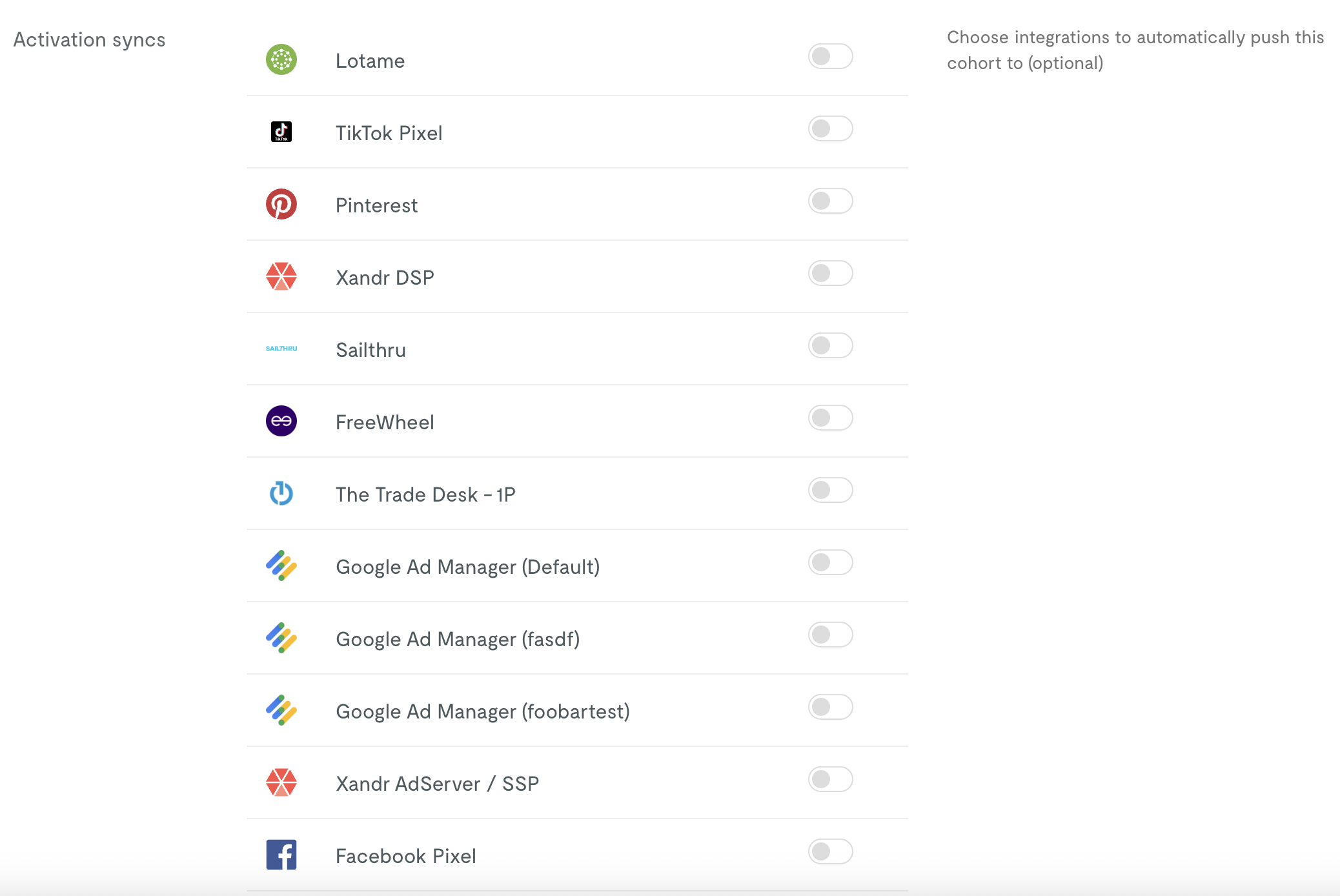
Guides
Step-by-step instructions for working with Custom Cohorts.Creating Custom Cohorts
Editing Custom Cohorts
Deleting Custom Cohorts
Exporting Custom Cohorts
Targeting Users by ISP
Using Audience Imports
Creating User Group Cohorts
Troubleshooting
The following errors may occur when working with Custom Cohorts:Cohort fails to calculate audience size
Cohort fails to calculate audience size
- Complex cohort rules that time out during calculation
- Using unsupported event types or properties
- Data processing delays
Live audience size is zero or unexpectedly small
Live audience size is zero or unexpectedly small
- The cohort was recently deployed — allow time for users to visit and be evaluated
- The Permutive SDK may not be deployed on all relevant pages
- The recency window may be too narrow or frequency threshold too high
- Event properties may have typos or incorrect values
- For cohorts using audience imports, imported users must visit your properties before they can be counted in LAS
Predicted Audience Size is high but Live Audience Size is low
Predicted Audience Size is high but Live Audience Size is low
- LAS will converge toward PAS as more users visit your properties over the following days and weeks
- For most behavioral cohorts, expect LAS to stabilize within approximately 30 days
- For cohorts using audience imports, convergence may take longer because imported users must visit your properties and be identified before they can be evaluated
Cannot save cohort with error message
Cannot save cohort with error message
- Missing required fields (name, tags)
- Invalid cohort logic or syntax
- Permissions issues
Cohort not appearing in activation platform
Cohort not appearing in activation platform
- The activation may not be properly configured
- There may be a delay in cohort deployment (typically a few minutes)
- The cohort may have no users qualifying for it
- API keys or integrations may not be properly set up
Environment Compatibility
Core Product
Custom Cohorts functionality is supported on the following platforms:Activation
Custom Cohorts can be activated to all standard Permutive activation destinations, including:- Google Ad Manager
- Xandr
- Amazon Publisher Services
- Prebid-supported SSPs (Magnite, Rubicon, etc.)
- And many more via our activation integrations
User Group Cohorts
User Group Cohorts have limited platform support:Dependencies
Custom Cohorts rely on the following products and features being configured for your organization:Limits
Custom Cohorts adhere to the following product specifications and limits.Feature Limits
Performance Limits
Usage Limits
FAQ
What's the difference between Predicted Audience Size and Live Audience Size?
What's the difference between Predicted Audience Size and Live Audience Size?
What's the difference between Custom Cohorts and Standard Cohorts?
What's the difference between Custom Cohorts and Standard Cohorts?
Can I build cohorts based on video engagement?
Can I build cohorts based on video engagement?
How long does it take for users to appear in a cohort after I create it?
How long does it take for users to appear in a cohort after I create it?
Can I export my Custom Cohorts list?
Can I export my Custom Cohorts list?
What happens to activations when I delete a cohort?
What happens to activations when I delete a cohort?
How do User Group Cohorts differ from regular Custom Cohorts?
How do User Group Cohorts differ from regular Custom Cohorts?
Can I retrieve Custom Cohort signals from an API?
Can I retrieve Custom Cohort signals from an API?
How many conditions can I include in a single cohort?
How many conditions can I include in a single cohort?
Can I duplicate or copy a cohort?
Can I duplicate or copy a cohort?