

Overview
Keyword Explorer uses machine learning to offer AI-powered keyword recommendations for building interest-based cohorts. By analyzing the similarities and connections between keywords, it suggests relevant terms that maximize both reach and relevance.Prerequisites:
- Access to the Permutive Dashboard with cohort creation permissions
- Keyword Explorer enabled for your workspace
- Contextual API implemented on your website OR Permutive SDK deployed (the SDK can segment contextual cohorts without direct API implementation)
Steps
1
Select Keyword Explorer
Select Keyword Explorer as your predicate type. A modal will open with the Keyword Explorer interface.
2
Enter topic
Enter a Topic in the search bar and press Enter. Topics can be single words (e.g., “Fashion”) or multiple words (e.g., “Tour de France”). Add multiple topics to narrow down to a specific concept (e.g., “cocktail” + “drink” vs “cocktail” + “dress”). Alternatively, you can input a prompt in the form of a targeting requirement (e.g., “Users interested in luxury travel”). Keyword Explorer will first transform the prompt into relevant topics and then show the results.
3
Review recommendations
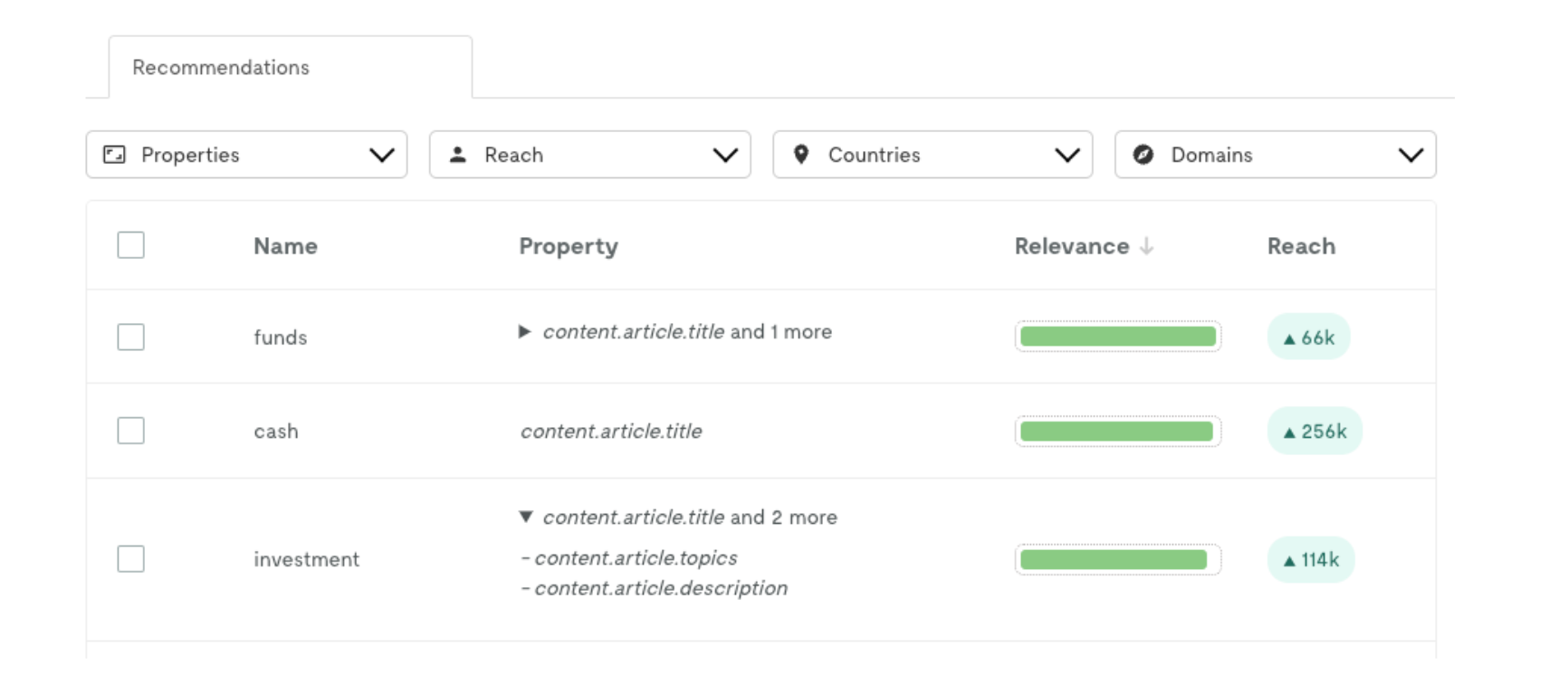
Review the Recommendations table, which includes:
- Name: Similar or adjacent keywords to your topic
- Property: The Pageview properties where each keyword appears
- Relevance: How closely related the keyword is to your topic (based on semantic similarity)
- Reach: Incremental reach (accounts for overlap between already-selected keywords)
4
Use filters
Use Filters to refine recommendations:
- Properties: Limit to specific Pageview properties
- Reach: Set a minimum reach threshold
- Countries: Filter by geographic location (based on
geo_info) - Domains: Filter by specific domains (based on
client.domainorclient.url)
5
Select keywords
Select the keywords you want to include by checking the boxes next to them.
6
Review total reach
Review the Total Reach (deduplicated user count for your selection).
7
Add keywords
Click Add to apply your keyword selections to the cohort.
Example
Build a Fashion cohort using Keyword Explorer:- Topic: “Fashion”
- Select relevant recommendations: “style”, “designer”, “clothing”, “trends”, “runway”
- Filter by Property:
client.title,client.tags - Filter by Reach: Minimum 1,000 users
- Total Reach: 45,000 users (deduplicated)
Keyword Explorer SettingsKeyword Explorer settings are configured at the organization level under Settings > Integrations > Keyword Explorer. You must be at the root workspace to access these settings.
- Minimum Reach: Set a global minimum reach threshold for all recommendations
- Property Selection: Choose which Pageview properties to include in the model training and recommendations
- Tokenize: Enable for properties that require keyword extraction (like article titles), disable for properties that already contain individual keywords (like tags)
Next Steps
Creating Contextual Cohorts
Learn the full cohort creation process
Back to Contextual Cohorts
Return to product overview