

Overview
This guide walks publishers through setting up a new advertiser connection in the Clean Room. Connections allow you to share your supply-side data with advertisers for audience matching and targeting.This guide uses your supply-side dashboard. All steps in this guide are completed in your supply-side workspace at dashboard.permutive.com.
Understanding Connection Targets
The Organization ID you enter depends on your workflow:In the publisher-driven workflow, you’re essentially connecting your two workspaces together. Your demand-side Organization ID can be found in your Clean Room dashboard under Settings.
Prerequisites:
- Clean Room enabled for your organization
- For Permutive-driven: Advertiser’s Organization ID (they can find this in their Permutive Settings)
- For Publisher-driven: Your own demand-side Organization ID (found in your Clean Room dashboard Settings)
Steps
1
Log in to the Permutive Platform
Access your Permutive Dashboard at dashboard.permutive.com.
2
Navigate to Connections
Click on the Connections tab in the menu bar.
3
Add a new connection
Click + Add Connection.
4
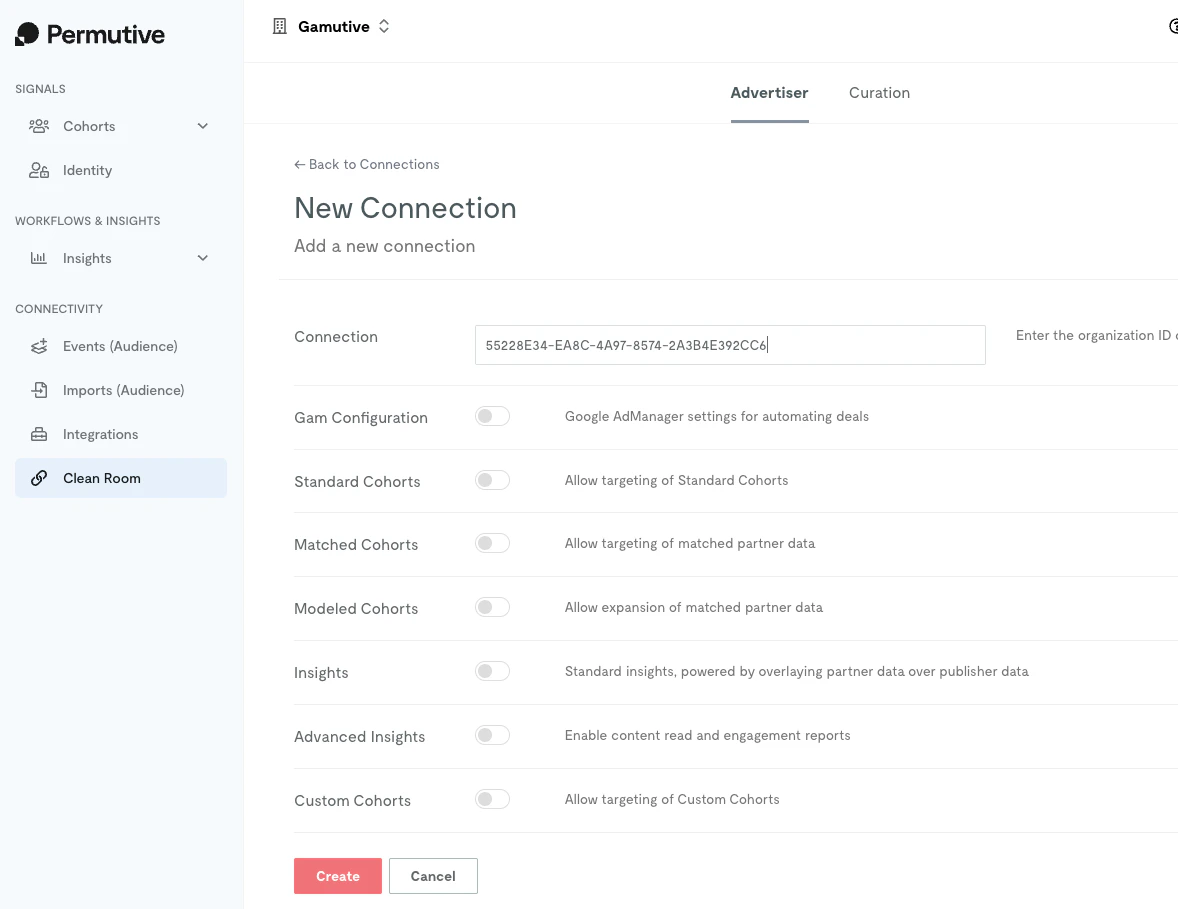
Enter the Organization ID
Enter the target Organization ID (format: xxxxxxxx-xxxx-xxxx-xxxx-xxxxxxxxxxxx). See Understanding Connection Targets above to determine which ID to use for your workflow.
5
Select permissions
Choose the permissions you want to grant:
- Standard Cohorts: Allow targeting of pre-built standardized segments
- Matched Cohorts: Allow targeting of users matched between your datasets
- Modeled Audiences: Allow targeting of lookalike modeled audiences
- Insights: Enable basic insights capabilities
- Advanced Insights: Enable content read reports and advanced analytics
- Custom Cohorts: Share specific custom cohorts for direct targeting by the advertiser
6
Create the connection
Click Create to finalize the connection.
What You’ll See
The Connections page shows your existing connections with their permission counts. You can edit or delete connections from here.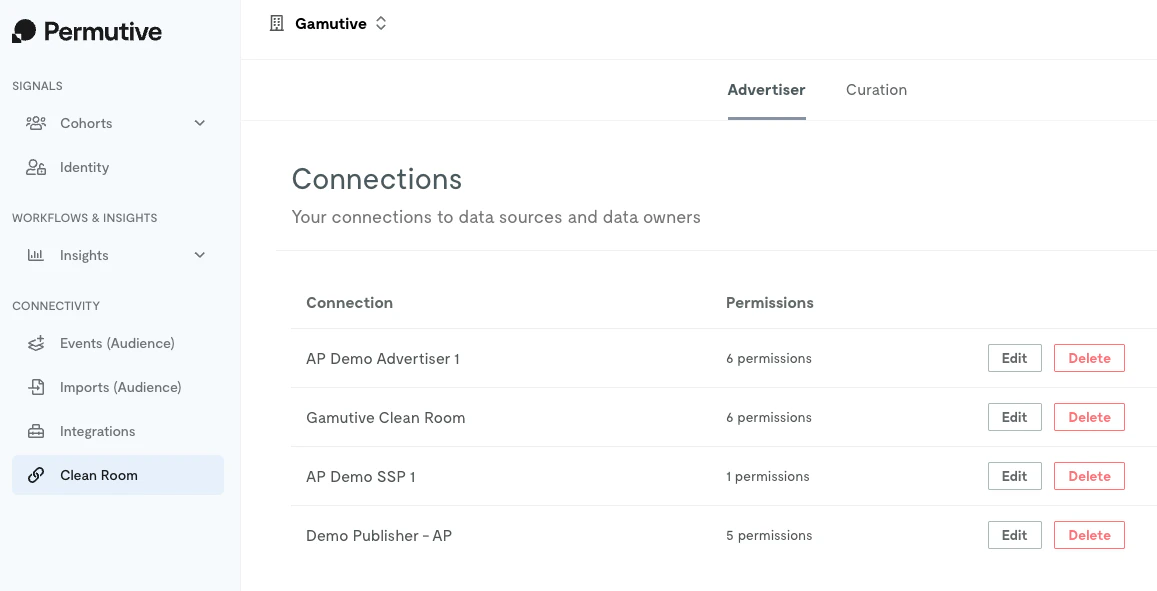
Next Steps
Configuring Ad Server Targeting
Set up targeting in GAM or Microsoft Monetize
Back to Clean Room
Return to product overview