

Overview
This guide walks you through creating Classification Cohorts from a trained Classification Model. Once your model has finished training, you can create cohorts for each label at different confidence thresholds.Prerequisites:
- A trained Classification Model (training takes approximately 12 hours)
- Access to the Permutive Dashboard with cohort creation permissions
Understanding the Confidence Curve
Once the model has been trained, you will see a curve that shows the expected reach for each point along the confidence scale.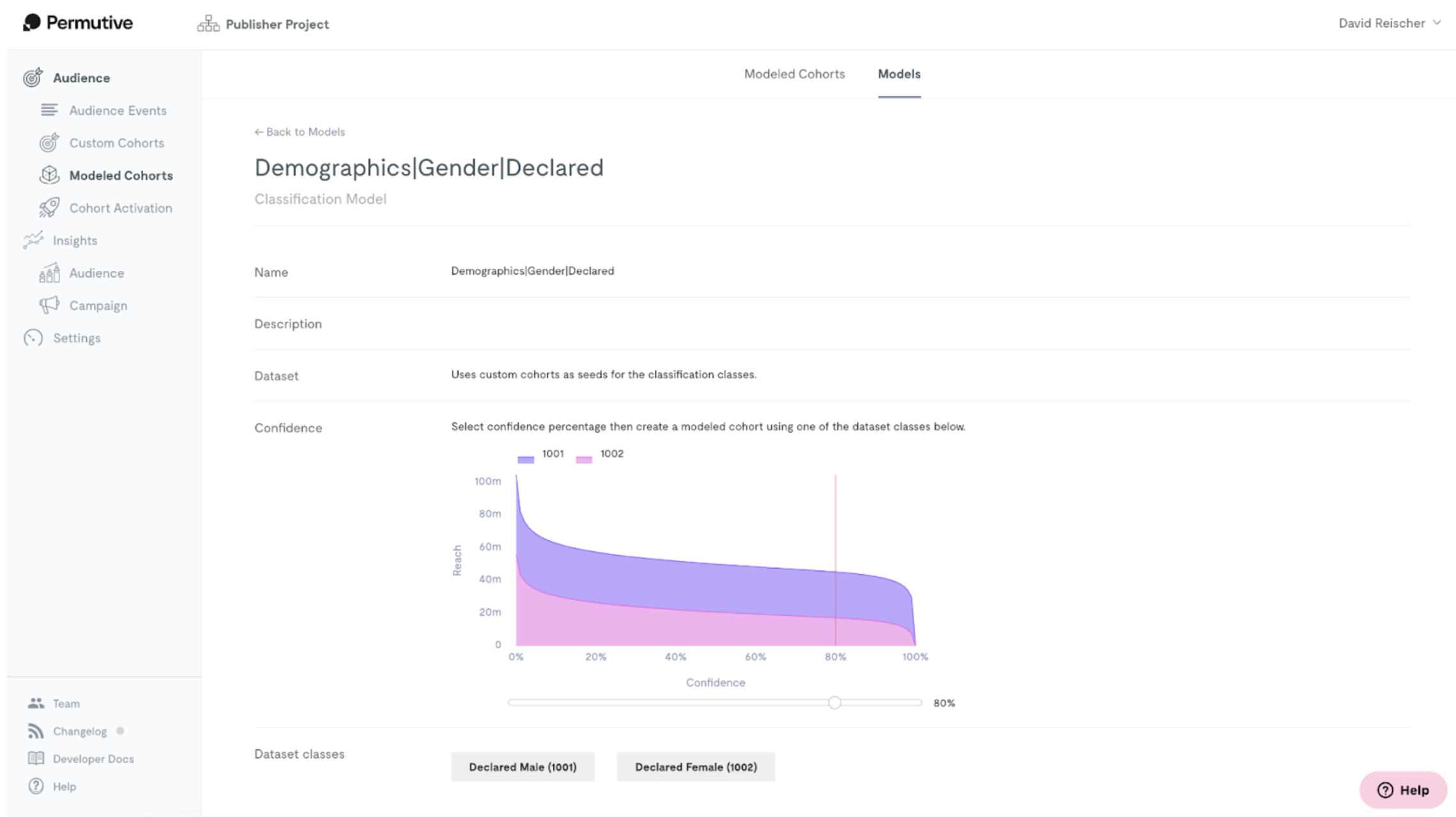
Steps
1
Select confidence threshold
Move the slider to select a minimum confidence threshold.
2
Choose dataset class
Click on one of the Dataset classes buttons to create a cohort for each of the labels in the model.
3
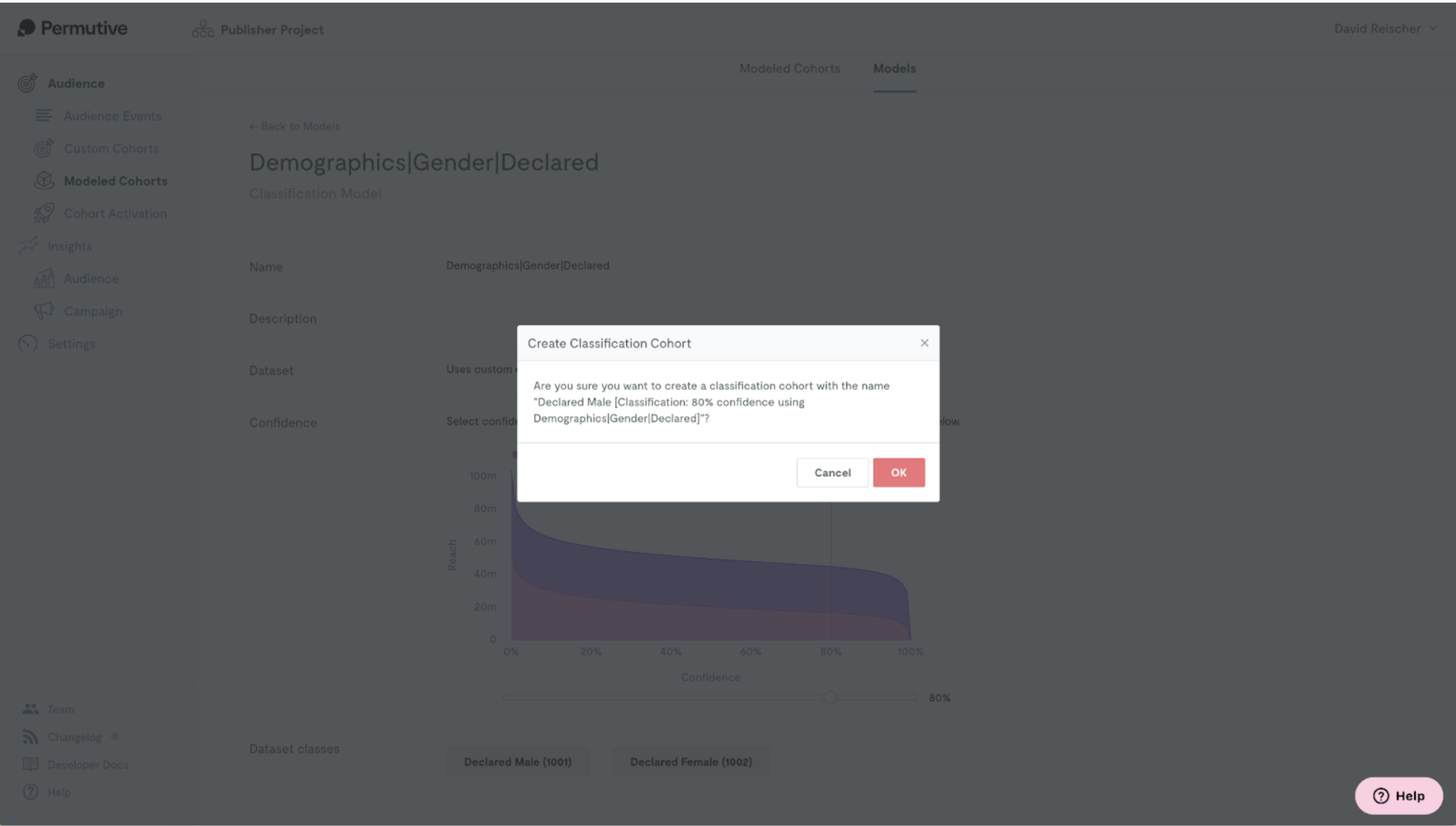
Confirm creation
A modal will appear asking for confirmation to create the Classification Cohort.
Enabling Activations
Once you create the Classification Cohort, you will find it on the Modeled Cohorts page. Here you can also enable activations for the cohort to push to ad servers such as Google Ad Manager and Xandr.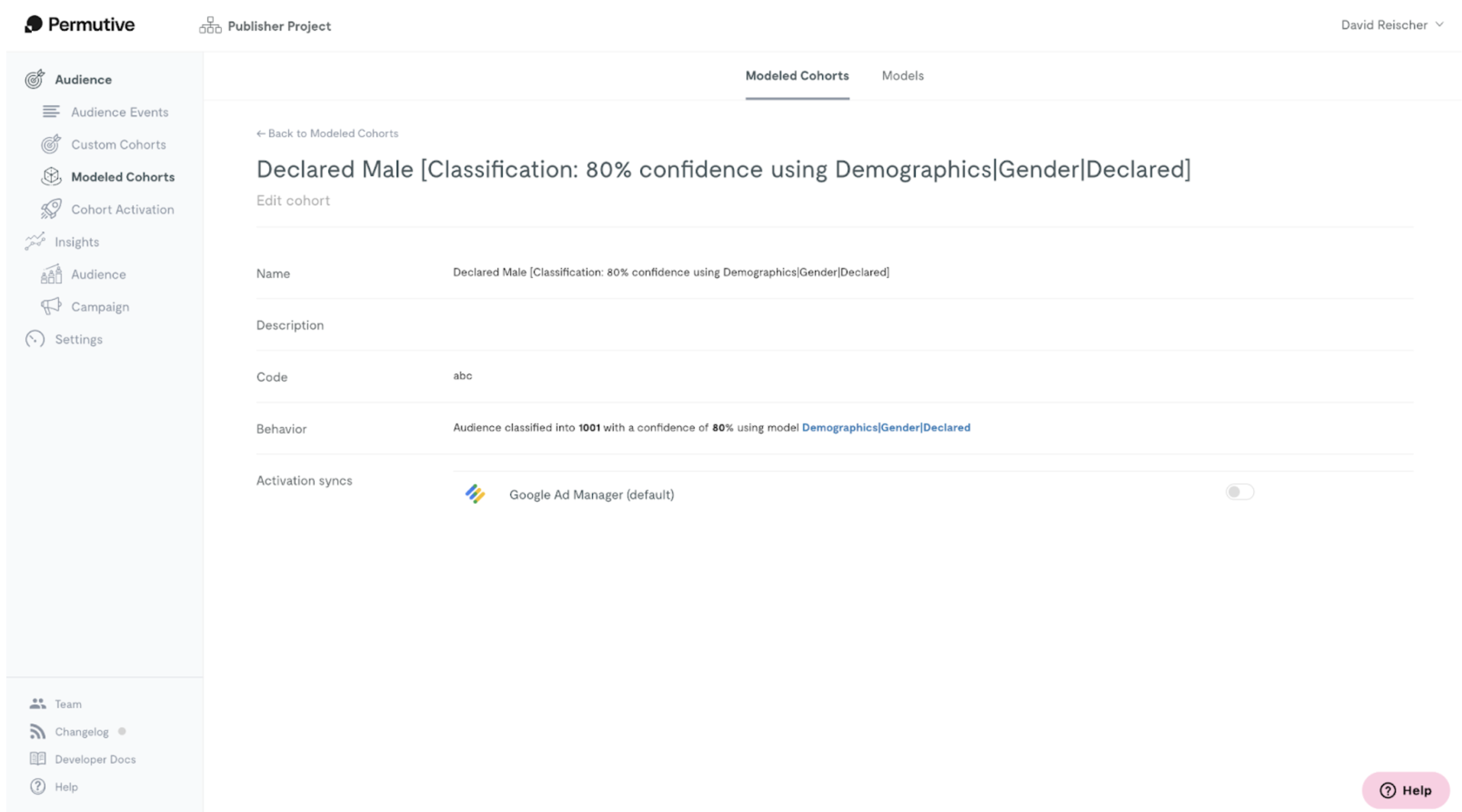
Next Steps
Viewing Classification Cohorts
Manage and filter your cohorts
Back to Classification Cohorts
Return to product overview