> ## Documentation Index
> Fetch the complete documentation index at: https://docs.permutive.com/llms.txt
> Use this file to discover all available pages before exploring further.
# Viewing Classification Cohorts
> How to view and manage your Classification Models and Cohorts
## Overview
This guide shows you how to view and manage your Classification Models and Cohorts in the Permutive Dashboard.
**Prerequisites:**
* Access to the Permutive Dashboard
* At least one Classification Model created
## Viewing Your Models and Cohorts
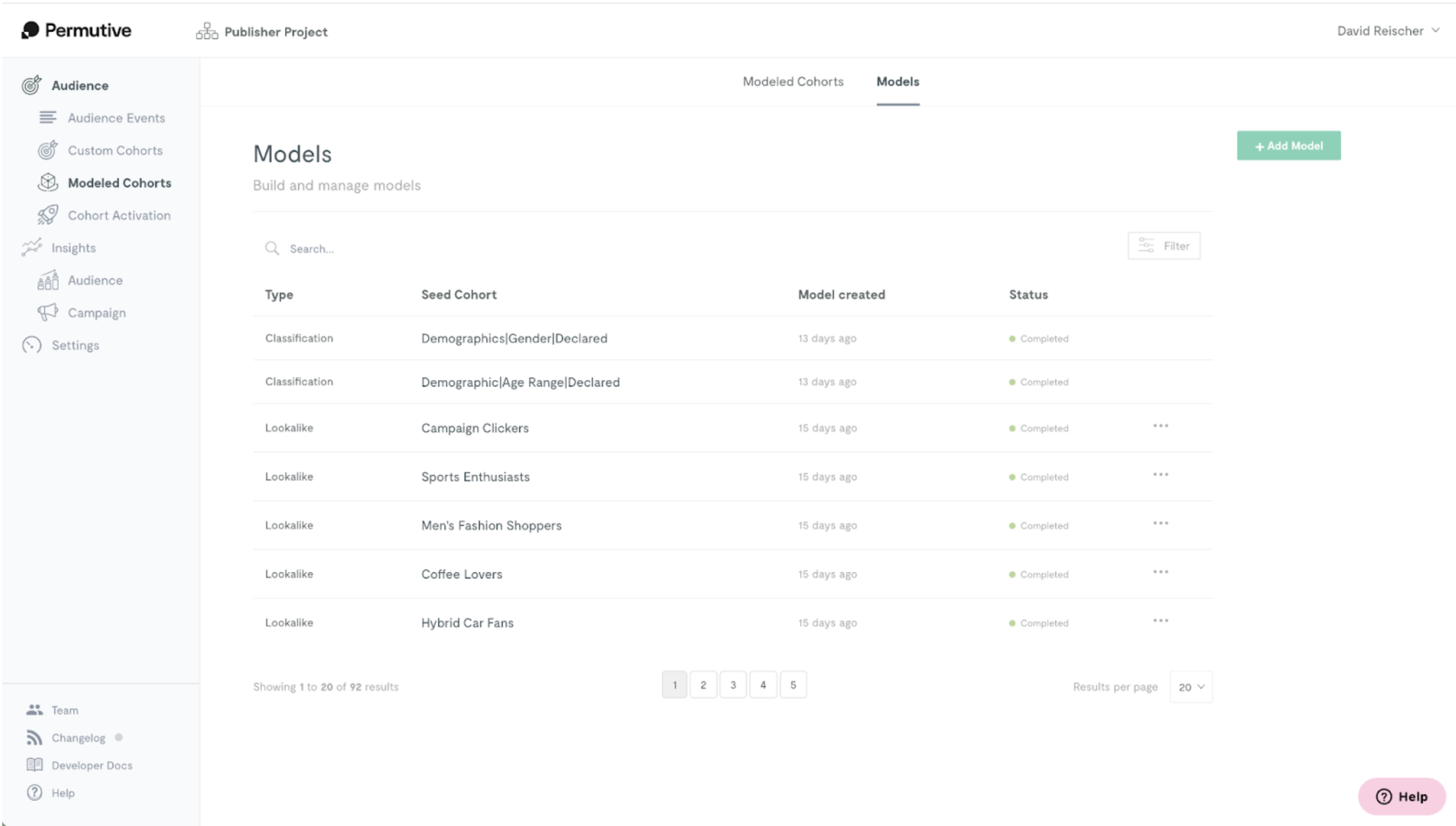
Classification Models are shown together with Lookalike Models on the *Models* page, under the *Modeled Cohorts* section in the dashboard. The *Type* column specifies whether a model is a Classification or Lookalike model.
 ## Filtering by Model Type
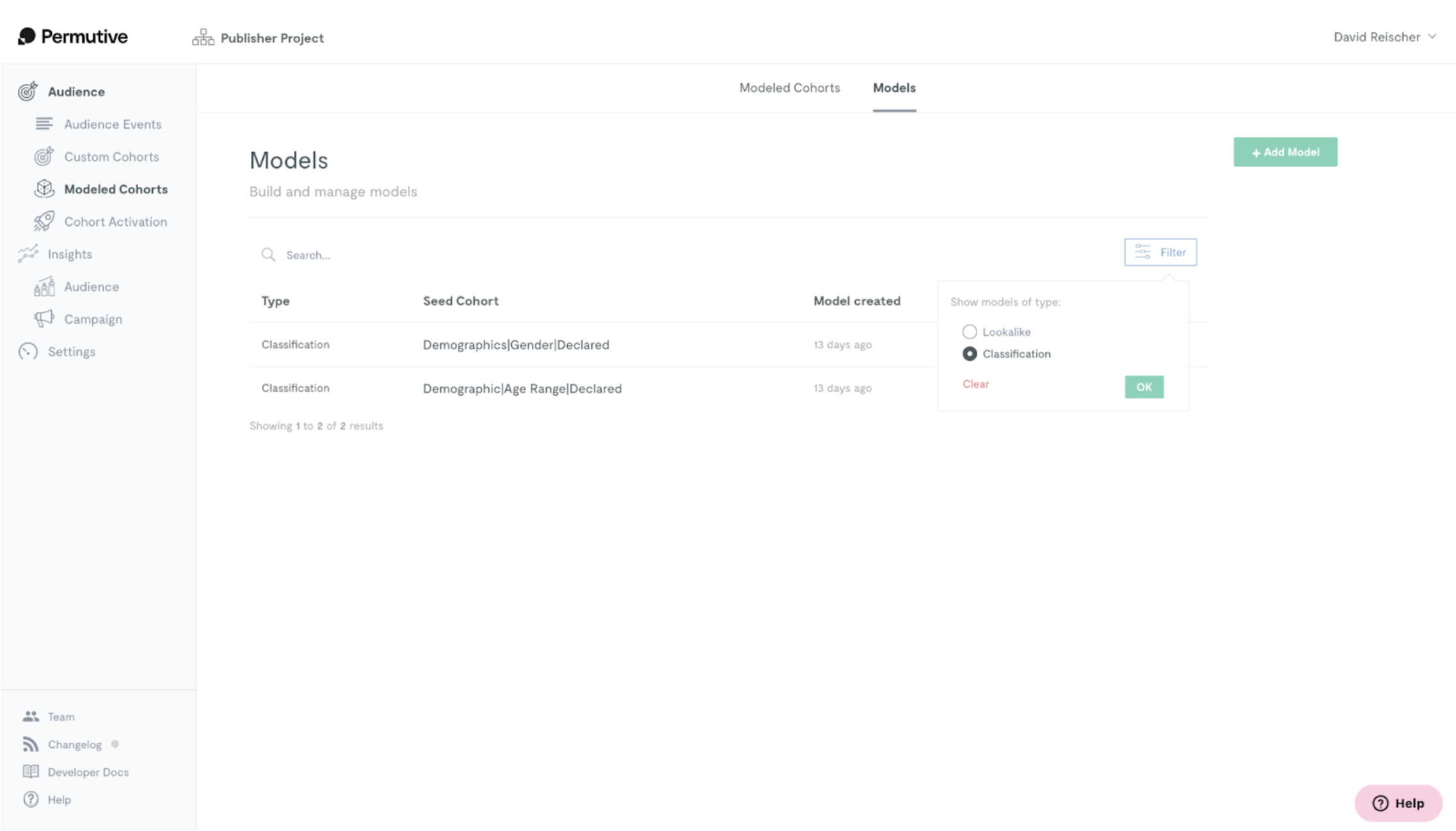
You can filter by model type by clicking on the "Filter" button in the top right. To return to viewing all models, click on *Clear*.
## Filtering by Model Type
You can filter by model type by clicking on the "Filter" button in the top right. To return to viewing all models, click on *Clear*.
 ## Next Steps
Create a new model
Return to product overview
## Next Steps
Create a new model
Return to product overview