> ## Documentation Index
> Fetch the complete documentation index at: https://docs.permutive.com/llms.txt
> Use this file to discover all available pages before exploring further.
# Creating Classification Models
> How to create a Classification Model from partner or first-party data
## Overview
This guide walks you through creating a Classification Model in Permutive. Classification Models learn patterns in your custom cohorts to predict which label (category) a user belongs to based on a seed dataset.
**Prerequisites:**
* Access to the Permutive Dashboard with model creation permissions
* Classification Cohorts enabled for your organization (contact your Customer Success Manager)
* For partner data: A partner dataset enabled by Permutive
* For first-party data: At least 2 Custom Cohorts with 1,000+ users each
## Steps
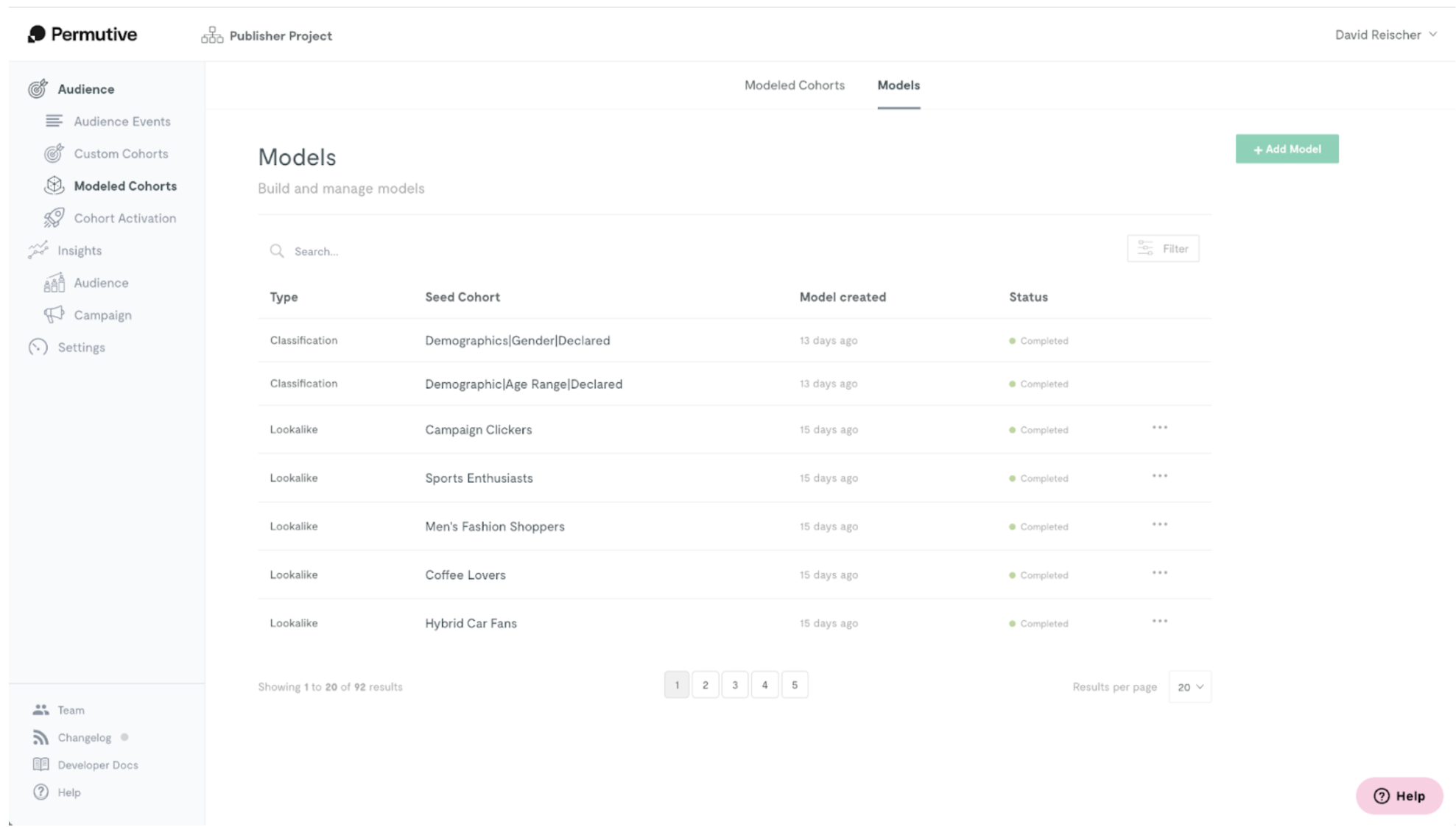
Navigate to *Modeled Cohorts* in the Permutive Dashboard, and click on the *Add Model* button.
Select *Classification* as the model type.
Next, select the type of seed you want to use:
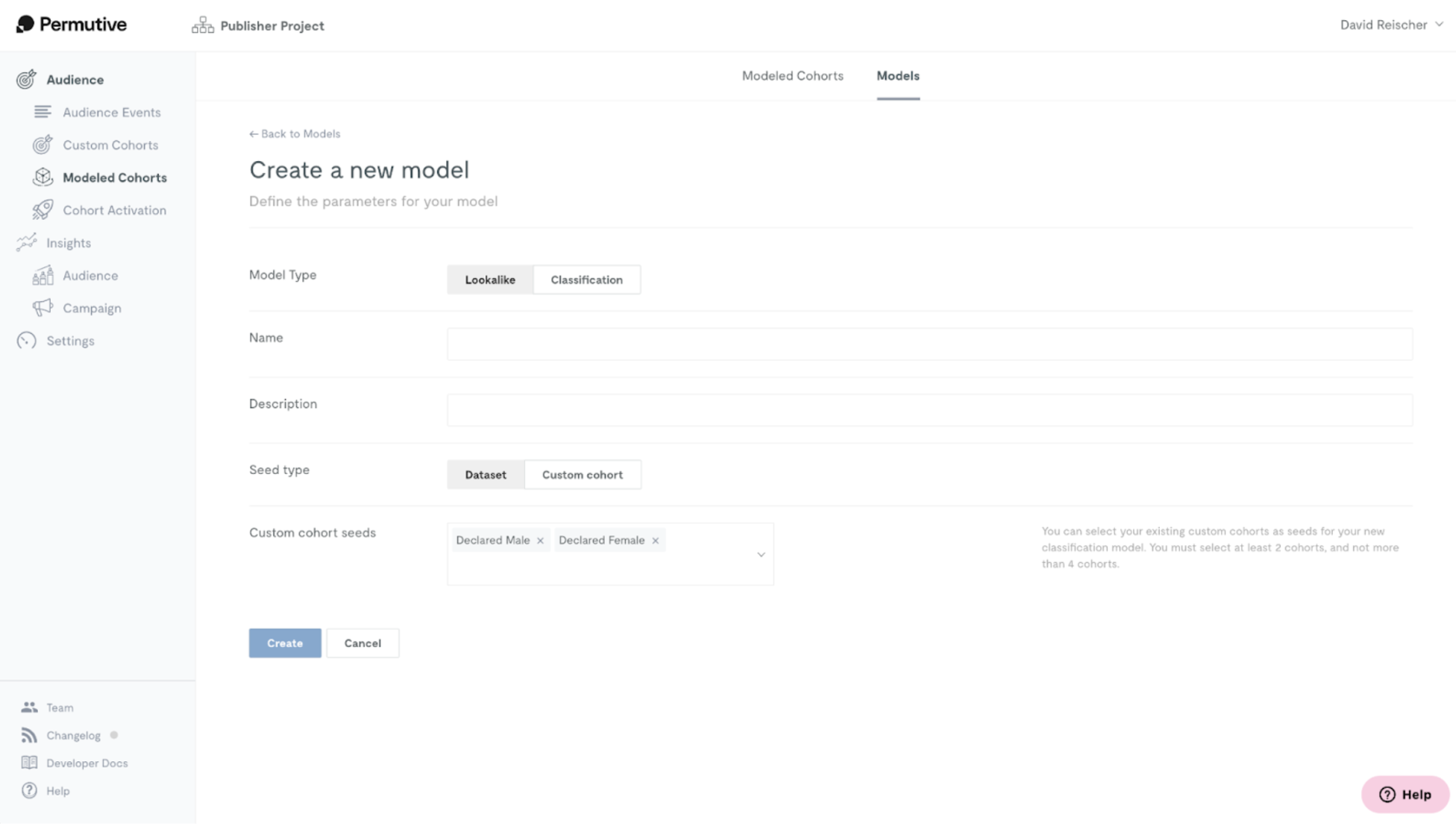
* You can leverage your own first-party data by selecting *Custom Cohorts*.
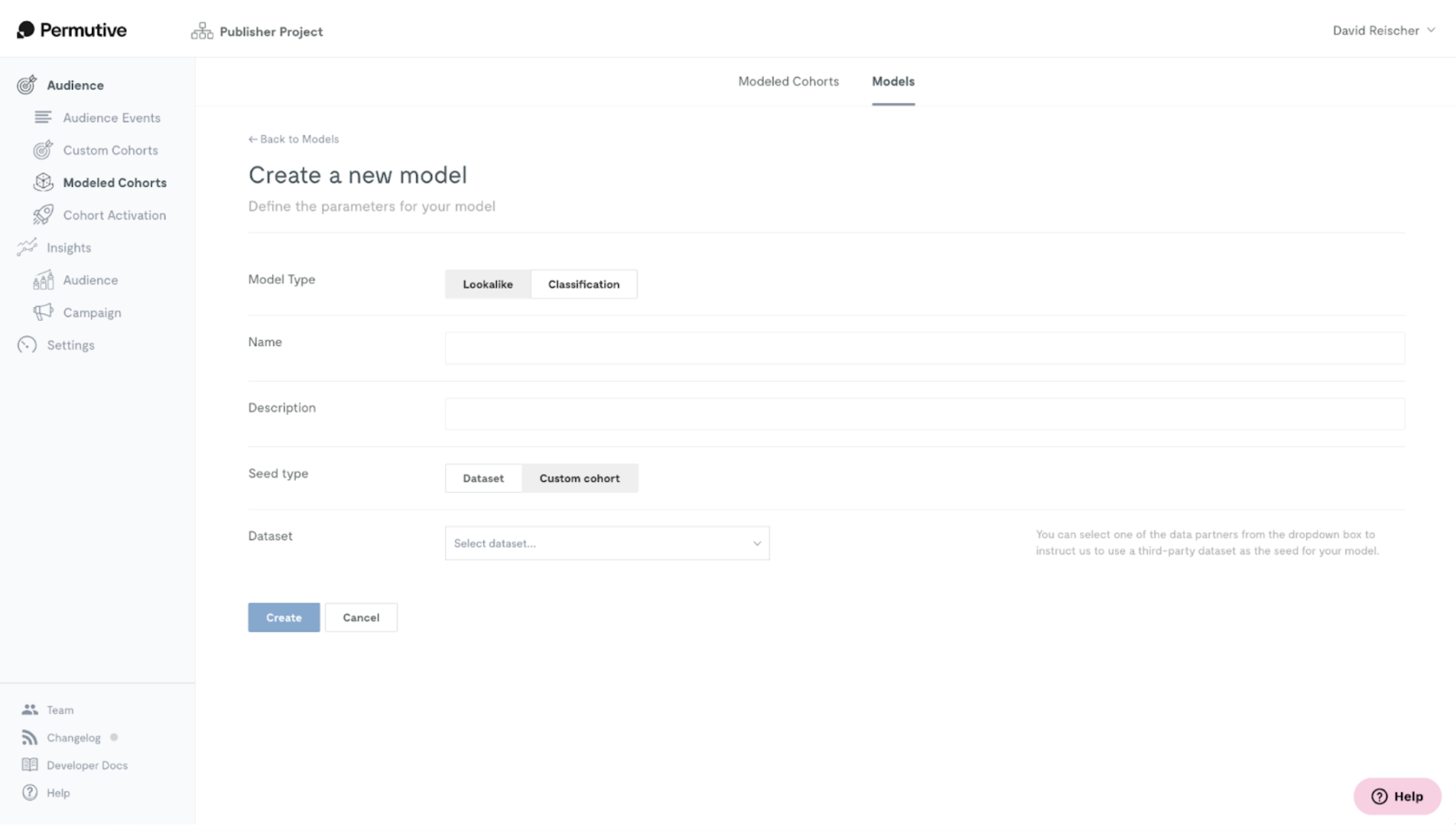
* You can work with a partner dataset by selecting *Dataset*.
 ## Using Partner Datasets
Permutive allows you to leverage partner data for Classification Models, in case you don't have suitable first-party data for the model.
Before selecting a partner dataset, Permutive needs to enable that partner for your project. Please contact your Customer Success Manager to understand the availability of data partners for your region and the process of enabling them.
## Using Partner Datasets
Permutive allows you to leverage partner data for Classification Models, in case you don't have suitable first-party data for the model.
Before selecting a partner dataset, Permutive needs to enable that partner for your project. Please contact your Customer Success Manager to understand the availability of data partners for your region and the process of enabling them.
 ## Using First-Party Seed Datasets
You can select any of your custom cohorts as seed labels for your Classification Model.
**Requirements:**
* Minimum size of 1,000 users per seed cohort
* Custom cohorts should not be overlapping (a single user should not be in more than one of the cohorts)
* You must select at least 2 cohorts and no more than 5
## Using First-Party Seed Datasets
You can select any of your custom cohorts as seed labels for your Classification Model.
**Requirements:**
* Minimum size of 1,000 users per seed cohort
* Custom cohorts should not be overlapping (a single user should not be in more than one of the cohorts)
* You must select at least 2 cohorts and no more than 5
 **Training time**: After clicking *Create*, it will take around 12 hours for the model to train. You'll receive a notification when the model is ready.
## Next Steps
Create cohorts from your trained model
Return to product overview
**Training time**: After clicking *Create*, it will take around 12 hours for the model to train. You'll receive a notification when the model is ready.
## Next Steps
Create cohorts from your trained model
Return to product overview